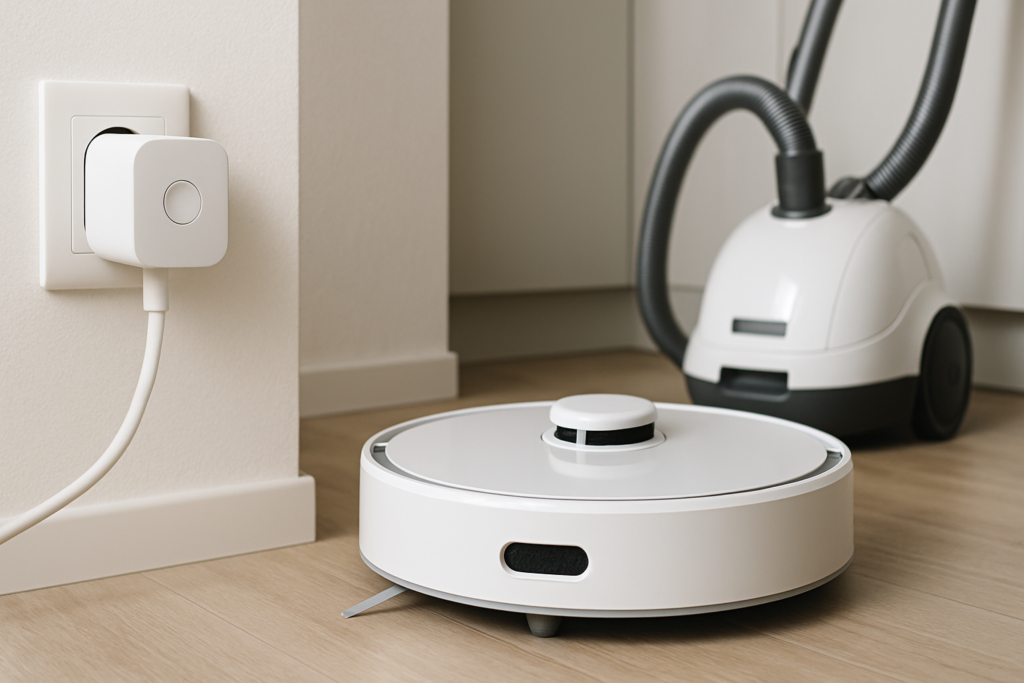
You’ve already automated your cleaning with a robot vacuum or set up an air purifier to run while you’re at work. But are you still walking over to manually turn these devices on and off? Smart plugs can take your cleaning routine to the next level by putting all your appliances on a schedule that works around your life, not the other way around.
These small adapters sit between your wall outlet and your cleaning appliances, giving you control over when they run, how much energy they use, and whether they’re operating safely. Let’s look at how to set them up for maximum convenience.
Why Smart Plugs Work Perfectly for Cleaning Appliances
Most cleaning devices aren’t actually smart. Your dehumidifier might have basic controls, but it can’t start itself at 2 PM every Tuesday. Your air purifier probably doesn’t know when you leave for work. A smart plug gives these “dumb” appliances a brain.
The setup is simple. Plug the smart plug into your wall outlet, plug your appliance into the smart plug, and connect it to your home’s Wi-Fi network through the companion app. Most models work with 2.4GHz networks, which is what you’ll need for reliable connectivity.
Once connected, you can create schedules, monitor energy usage, and control everything from your phone. More importantly, you can integrate with voice assistants like Alexa or Google Assistant for hands-free control.
Scheduling Robot Vacuums the Right Way
Robot vacuums are the perfect candidates for smart plug automation. Even if your vacuum has its own scheduling feature, a smart plug adds an extra layer of control and can reset stubborn models that sometimes ignore their internal schedules.
Set your vacuum to run during mid-morning hours when everyone’s out of the house. This prevents it from getting tangled in feet, charging cables, or pet toys that someone might leave out. A typical schedule might be 10 AM on Mondays, Wednesdays, and Fridays.

Kasa Smart Plug Mini
Compact design that won’t block your second outlet and works reliably with robot vacuums
Keep in mind that your robot vacuum needs to be in a “ready” state for this to work. Most models will start cleaning automatically when they receive power if you press their main button before cutting power. Test this behavior with your specific model first.
Some robot vacuums draw phantom power even when idle, slowly draining energy. A smart plug completely cuts this power draw when the vacuum isn’t scheduled to run, which can save you a few dollars per year on your electric bill.
Air Purifiers and Smart Scheduling
Air purifiers work best when they run during specific times of day. You’ll want them operating when allergen counts are highest or when you’re actually home to benefit from cleaner air.
A common strategy is to run your air purifier for two hours before you wake up and an hour before you get home from work. This ensures you’re walking into a space with clean, filtered air without wasting energy all day long.
Some people prefer running their air purifiers overnight in bedrooms. Set your smart plug to turn on at 9 PM and off at 6 AM. This creates a clean breathing environment during sleep without the noise disturbance during waking hours (though many purifiers have quiet modes).
For homes with pets, you might schedule more frequent cleaning cycles. Three 2-hour sessions throughout the day can keep pet dander and odors under control without running the unit continuously.
Dehumidifier Automation and Energy Savings
Dehumidifiers are energy hogs. Running one 24/7 can significantly impact your electricity bill. Smart plugs help you run these devices only when necessary.
Basements and crawl spaces typically need dehumidification most during humid summer months and during specific times of day. Running your dehumidifier from 10 AM to 4 PM often captures the most humid part of the day without overnight operation.

Govee Smart Plug with Energy Monitoring
Tracks exactly how much energy your dehumidifier uses so you can optimize your schedule
Energy monitoring features become especially valuable here. You can track how many kilowatt-hours your dehumidifier consumes and adjust schedules based on actual usage patterns. Many people discover their dehumidifiers use far more energy than expected.
One caution: dehumidifiers with electronic controls may not restart automatically when power is restored. Models with mechanical dials or switches work better with smart plug automation. Check your specific model before relying on this setup.
Voice Control Integration
Voice control might sound like a luxury, but it becomes genuinely useful when your hands are full or you’re already in bed. “Alexa, turn off the air purifier” beats getting up to manually switch it off.
Amazon Alexa and Google Assistant both work with most major smart plug brands. Setup takes about 30 seconds: enable the skill or link the service in your voice assistant’s app, and your plugs appear as controllable devices.
You can create voice routines that control multiple devices at once. Say “Alexa, start cleaning mode” and have it turn on your air purifier, start your robot vacuum, and turn on a fan all with one command.
Apple HomeKit support is less common but available on select models if you’re invested in the Apple ecosystem. Look specifically for HomeKit-compatible smart plugs if Siri control matters to you.
Energy Monitoring Features
Not all smart plugs include energy monitoring, but this feature provides valuable insights into your cleaning appliance costs. You’ll see real-time wattage, cumulative kilowatt-hours, and estimated costs based on your electricity rate.
This data helps you make informed decisions. You might discover your old dehumidifier uses three times the energy of a newer model, making replacement worthwhile. Or you might find your air purifier barely uses any electricity, making it fine to run more often.
The monitoring also reveals phantom power draw. Many appliances continue drawing small amounts of power even when “off,” which adds up over time across multiple devices in your home.
Safety Tips and Best Practices
Smart plugs are generally safe, but cleaning appliances have specific considerations. Always check the amperage rating on both your smart plug and your appliance. Most smart plugs handle 15 amps, which covers typical cleaning devices, but industrial dehumidifiers might draw more.
Never daisy-chain smart plugs or use them with extension cords for high-draw appliances. Plug them directly into wall outlets. The heat generated by dehumidifiers especially can create fire risks when combined with adapters.
Keep smart plugs away from water sources. Even though you might use a dehumidifier in a damp basement, the plug itself should be in a dry location. Consider using GFCI outlets for added protection in moisture-prone areas.
Test your automation thoroughly before relying on it. Run through several cycles to ensure your appliances actually start when powered on and stop properly when power cuts. Some devices have quirks that make them incompatible with simple on/off scheduling.
Update your smart plug firmware regularly. Manufacturers release updates that patch security vulnerabilities and improve reliability. Most apps will notify you when updates are available.
Frequently Asked Questions
Will a smart plug work with my robot vacuum if it already has scheduling?
Yes, but you’ll want to disable the robot vacuum’s internal schedule to avoid conflicts. The smart plug provides more reliable scheduling in most cases, and it gives you remote control when you’re away from home. Just make sure your vacuum is set to start cleaning when it receives power.
Can I use one smart plug for multiple cleaning appliances?
You shouldn’t plug multiple high-draw appliances into a single smart plug using a power strip. Each cleaning device should have its own dedicated smart plug to prevent overloading and potential fire hazards. Smart plugs are designed for individual device control anyway, so you’d lose the ability to manage them separately.
Do smart plugs use a lot of Wi-Fi bandwidth or slow down my network?
Smart plugs use minimal bandwidth. They only communicate when sending status updates or receiving commands, which amounts to tiny data packets. You could have 20 smart plugs running without noticing any impact on your network speed. They do need a stable Wi-Fi connection, though, so consider plug placement if you have dead zones in your home.
This article contains affiliate links. We may earn a small commission at no extra cost to you.