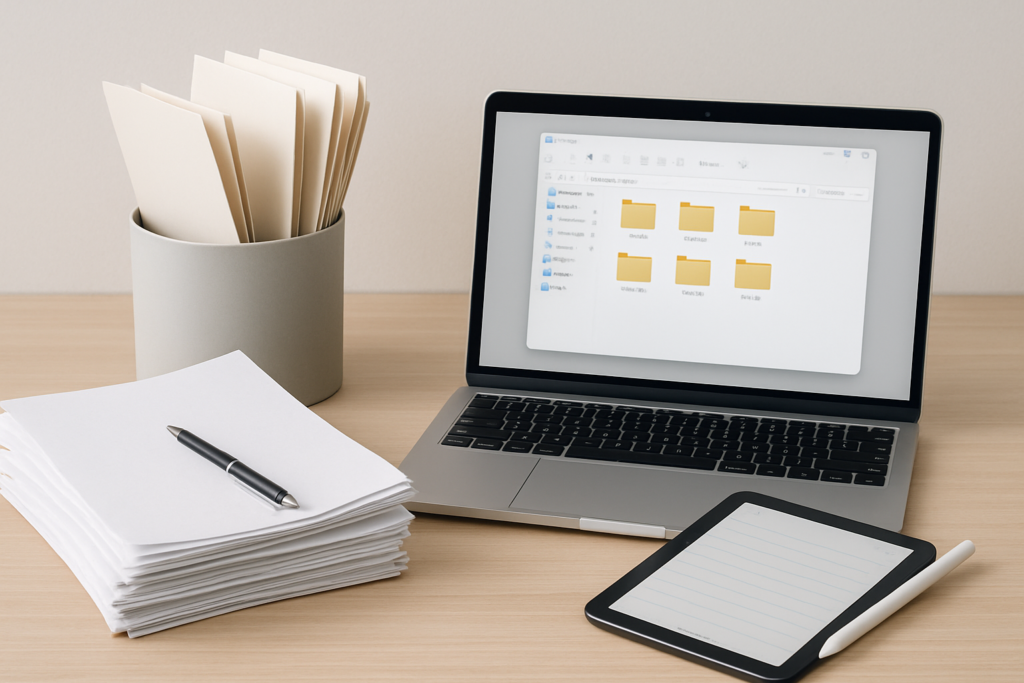
Paper clutter has a sneaky way of taking over our lives. One day you’re confidently filing away a few important documents, and the next thing you know, you’re drowning in insurance papers, old bills, receipts, and that mysterious pile of “important stuff” that’s been growing on your kitchen counter for months.
The modern solution seems obvious: scan everything and go digital. But is ditching physical files really the answer? Or are there still compelling reasons to keep some paper documents in traditional filing systems?
The truth is, the best approach isn’t one-size-fits-all. Your ideal document organization strategy depends on your lifestyle, legal requirements, security concerns, and how you actually access your information. Let’s break down both approaches so you can build a system that actually works for your life.
The Case for Going Digital
Digital document storage offers undeniable advantages that have made it increasingly popular. The most obvious benefit is space savings. A single external hard drive can store thousands of documents that would otherwise fill multiple filing cabinets.
Searching becomes incredibly powerful with digital files. Instead of flipping through folders hoping you filed that warranty correctly, you can instantly search for keywords across all your documents. Lost your 2019 tax return? Search for “2019” or “tax” and find it in seconds.
Backup and disaster protection represent another major advantage. Your house could burn down, but your documents remain safe in cloud storage. This redundancy simply isn’t possible with physical documents unless you’re making photocopies and storing them off-site.
Digital Tools That Actually Work
The key to successful digital organization lies in choosing the right tools. High-quality document scanners have become surprisingly affordable and efficient. The Fujitsu ScanSnap iX1500 has earned a reputation as the gold standard for home offices because it handles both single pages and multi-page documents with excellent OCR (optical character recognition) capabilities.
Fujitsu ScanSnap iX1500
The most reliable desktop scanner for home document management with excellent OCR capabilities
For occasional scanning, smartphone apps like Adobe Scan or CamScanner work surprisingly well. They’re not perfect for high-volume scanning, but they’re convenient for capturing receipts or documents when you’re away from home.
File organization software matters just as much as hardware. Many people scan documents but then dump them into poorly named folders, recreating their paper clutter problem digitally. Successful digital filers develop consistent naming conventions and folder structures from the start.
The Hidden Challenges of Digital Storage
Digital isn’t foolproof. Technology fails, cloud services experience outages, and file formats become obsolete. Remember floppy disks? The PDF files you create today might face compatibility issues decades from now.
There’s also the ongoing maintenance burden. Digital organization requires regular backups, software updates, and file management. Many people start strong with digital systems but gradually let organization slip as files accumulate.
Security presents another consideration. While cloud storage offers excellent disaster protection, it also creates new vulnerabilities. Data breaches happen, and sensitive documents stored online face different risks than papers locked in a home filing cabinet.
The Enduring Benefits of Physical Filing
Despite the digital revolution, physical document storage still offers unique advantages. There’s something to be said for being able to grab an important document immediately without powering up devices, logging into accounts, or dealing with internet connectivity issues.
Physical documents provide a level of certainty that digital files can’t match. You can see them, touch them, and verify their existence instantly. There’s no wondering whether your backup worked or whether the cloud service is having technical difficulties.
For people who think visually, physical filing often works better. You can spread documents across a desk, compare multiple papers side by side, and organize them spatially in ways that digital systems don’t replicate well.
Building an Effective Physical System
The key to successful physical filing lies in simplicity and consistency. Complex filing systems with dozens of categories typically fail because they’re too difficult to maintain. Start with broad categories like “Financial,” “Medical,” “Insurance,” and “Legal.”
Quality filing supplies make a significant difference. Cheap folders fall apart, and flimsy file boxes collapse under weight. The Pendaflex hanging folders and sturdy file boxes create systems that last for years.

Pendaflex Reinforced Hanging Folders
Durable hanging folders that won’t tear or sag under the weight of documents
Location matters enormously. Filing cabinets tucked away in basements or spare rooms often become document graveyards. Keep your active filing system in an accessible location where you’ll actually use it.
Regular purging prevents physical systems from becoming overwhelming. Schedule annual reviews to remove outdated documents, expired warranties, and papers that no longer serve a purpose.
Security and Legal Considerations
Document security requirements vary dramatically depending on the type of information you’re storing. Financial records, medical information, and legal documents each have different security needs and retention requirements.
Banks and government agencies still often prefer original documents for certain transactions. While digital copies work for many purposes, situations like mortgage applications or legal proceedings may require physical originals.
The IRS accepts digital records for tax purposes, but they must be legible and complete. If you choose to go digital for tax documents, ensure your scanning quality is high enough to capture all details clearly.
Hybrid Approach for Maximum Security
Many security-conscious individuals adopt hybrid systems that combine both digital and physical storage. They keep physical copies of truly irreplaceable documents (birth certificates, property deeds, insurance policies) in fireproof safes while scanning everything else.
This approach provides the convenience of digital search and backup while maintaining physical copies of documents that would be expensive or time-consuming to replace. The SentrySafe fireproof document safe offers protection for your most critical papers.

SentrySafe Fireproof Document Safe
Essential protection for irreplaceable documents like birth certificates and property deeds
For digital security, encryption becomes crucial when storing sensitive documents. Password-protected PDFs provide basic security, but dedicated encryption software offers stronger protection for highly sensitive information.
Making the Right Choice for Your Situation
Your ideal document organization system depends on several personal factors. People who travel frequently often prefer digital systems because they can access documents from anywhere. Parents managing multiple family members’ documents might find physical filing easier for quick access during busy periods.
Consider your technical comfort level honestly. Digital systems require ongoing technical maintenance and troubleshooting. People who struggle with technology might find physical filing less frustrating, even if it’s less efficient.
Volume also matters. Someone dealing with hundreds of documents annually will benefit more from digital efficiency than someone managing just a few dozen important papers.
Implementing Your Chosen System
Whichever approach you choose, start small and build gradually. Don’t try to scan years of accumulated documents in one weekend or reorganize your entire filing system overnight. Pick one category of documents and perfect your system before expanding.
Consistency beats perfection. A simple system you actually use outperforms a sophisticated system you abandon after a few months. Focus on developing sustainable habits rather than creating the theoretically perfect organization method.
Plan for maintenance from the beginning. Digital systems need regular backups and file organization. Physical systems require periodic purging and reorganization. Build these maintenance tasks into your routine before your system becomes unwieldy.
Frequently Asked Questions
How long should I keep different types of documents?
Retention periods vary by document type. Keep tax returns for seven years, insurance policies while active plus three years, and medical records for at least five years after treatment. Birth certificates, property deeds, and marriage certificates should be kept permanently. Check with relevant authorities for specific requirements in your situation.
What’s the minimum scanner quality needed for legal documents?
Scan important documents at 300 DPI minimum, with 600 DPI preferred for small print or detailed documents. Use PDF format with OCR enabled so text remains searchable. Always review scanned documents on screen to ensure all text is legible before discarding originals.
Should I store digital documents locally or in the cloud?
The safest approach uses both. Keep local copies on your computer or external drive for quick access, with cloud backup for disaster protection. Popular options include Google Drive, Dropbox, or iCloud. Ensure your cloud provider uses encryption and offers reliable service history.
How do I handle documents that exist in both formats?
Maintain one authoritative version to avoid confusion. For most purposes, keep physical copies of truly important originals (legal documents, certificates) and digital copies of everything else. Clearly label which version is your “master” copy to prevent future confusion about which document is current.
Paper clutter doesn’t have to control your life. Whether you choose digital scanning, physical filing, or a hybrid approach, the key lies in selecting a system that matches your lifestyle and actually using it consistently. Start with the approach that feels most natural, then refine your system based on what works in practice.
This article contains affiliate links. We may earn a small commission at no extra cost to you.