There’s nothing quite as frustrating as standing in front of your microwave, pressing the start button, and getting absolutely nothing in return. No lights, no hum, no spinning turntable. Just silence. Before you start shopping for a new microwave or calling an expensive repair tech, you should know that many of these issues are surprisingly simple to fix yourself.
Most microwaves that won’t turn on are suffering from one of a handful of common problems. Some are so easy to solve that you’ll feel silly for worrying, while others might require replacing a cheap part. Let’s walk through the troubleshooting process step by step so you can get back to reheating your coffee.
Start With the Power Supply
This might seem obvious, but power supply issues cause more “broken” microwaves than any actual malfunction. Check if the microwave is properly plugged into the outlet. Sometimes the plug gets knocked loose during cleaning or when you’re moving things around on your counter.
Next, test the outlet itself. Plug in another appliance like a toaster or phone charger to verify the outlet is working. If nothing works in that outlet, check your circuit breaker panel. Microwaves draw significant power, and a tripped breaker is actually pretty common, especially if you were running multiple appliances on the same circuit.
Don’t forget to look at the plug itself for any signs of damage, burning, or melted plastic. A damaged plug or cord is a fire hazard and means you need to replace the power cord or the entire microwave, depending on how the cord is attached.
Try a Hard Reset
Modern microwaves are basically computers with heating elements, and just like your laptop, they sometimes need a reboot. Unplug your microwave from the wall and leave it disconnected for at least three minutes. This allows the internal capacitors to fully discharge and can clear electronic glitches that prevent startup.
When you plug it back in, watch the display carefully. If you see the clock flash or any lights come on, you know the unit is getting power. Sometimes microwaves enter a sort of “locked” state after a power surge or when buttons are held down accidentally, and this reset process clears that condition.
Some models also have a “child lock” feature that disables all controls. Check your manual (or search online for your model number) to see if holding down a specific button combination will unlock it. Usually it’s something like holding “Stop” or “Cancel” for three to five seconds.
Inspect the Fuses
If your microwave still won’t turn on after checking the power and doing a reset, you’re likely dealing with a blown fuse. Microwaves typically have at least two types of fuses: a main ceramic fuse and a thermal fuse. When either one blows, your microwave becomes completely unresponsive.
The ceramic fuse usually blows when there’s been a power surge or electrical fault. The thermal fuse, on the other hand, is a safety device that blows when the microwave overheats. Both are relatively inexpensive parts, but replacing them requires opening up the microwave cabinet.
Warning: Before you attempt any internal repairs, you absolutely must unplug the microwave and discharge the high-voltage capacitor. Even when unplugged, microwaves can store lethal amounts of electricity in their capacitors. If you’re not comfortable working with high-voltage appliances, this is the point where you call a professional or consider replacement.
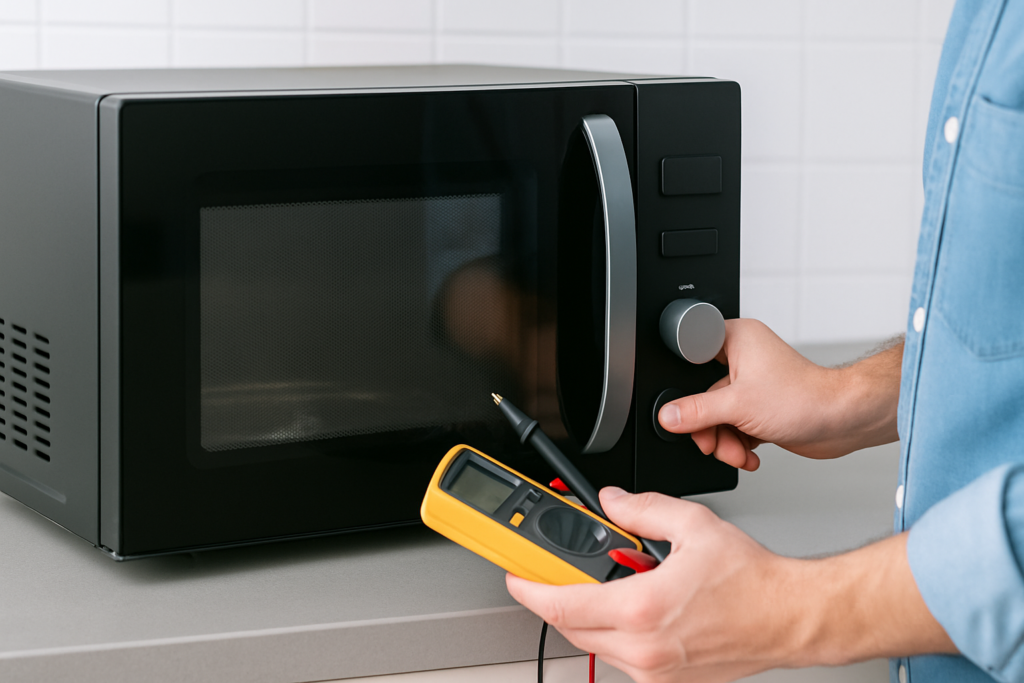
For those proceeding with caution, you’ll need to remove the outer cabinet (usually several screws on the back and sides). The ceramic fuse typically looks like a small cylinder and can be tested with a multimeter set to continuity mode. A blown fuse will show no continuity. The thermal fuse is often located near the magnetron or cooling fan.

Microwave Fuse Kit
Most kits include both ceramic and thermal fuses to cover common failures
Common Part Failures Beyond Fuses
If you’ve replaced the fuses and your microwave still won’t start, you’re looking at component-level failures. The door switches are a frequent culprit. Microwaves have multiple door switches as safety interlocks, preventing operation when the door isn’t properly closed. Over time, these switches can fail in the “open” position, making the microwave think the door is always open.
You can usually hear a clicking sound when you close the door if the switches are working. No click usually means a bad switch. These door switches are fairly affordable and relatively easy to replace once you have the cabinet open.
Another possibility is the control board or touchpad. If your display is completely dead but you have power to the unit, the control board might have failed. Unfortunately, control boards can be expensive relative to the cost of a new microwave, especially for older or off-brand models. You can find these by searching for your specific model number plus “control board.”
The magnetron (the component that actually generates microwaves) can also fail, though usually you’ll still see lights and the turntable will spin, the unit just won’t heat. If absolutely nothing happens when you try to start the microwave, the magnetron probably isn’t your problem.
When to Repair vs. Replace
Here’s where you need to make a practical decision. A simple fuse replacement might cost you under competitively priced in parts and an hour of your time. But if you’re looking at a failed control board or magnetron, the parts alone might run 50-70% of what a new microwave costs.
Consider your microwave’s age and condition. Most microwaves last 7-10 years with regular use. If yours is already 8 years old and needs a major component replaced, you’re probably better off upgrading to a new model with better efficiency and features.
For newer microwaves still under warranty, definitely contact the manufacturer before attempting repairs yourself. Opening the cabinet might void your warranty, and they may cover the repair or send you a replacement.

Microwave Multimeter
Essential for testing fuses, switches, and other electrical components safely
Prevention and Maintenance Tips
Once you get your microwave working again, a few simple habits can prevent future failures. Don’t slam the door. Those door switches and latches are surprisingly fragile, and aggressive door closing is one of the main reasons they fail prematurely.
Keep the vents clear. Microwaves generate heat and need proper ventilation. If the vents on top or sides are blocked by cookbooks, spices, or other kitchen items, the unit can overheat and blow the thermal fuse. Make sure there’s at least a few inches of clearance around all vents.
Use a surge protector, especially if you live in an area with frequent power fluctuations or storms. A good quality surge protector can save your microwave’s delicate electronics from voltage spikes that blow fuses and damage control boards.
Frequently Asked Questions
Can I use a higher amp fuse if my microwave keeps blowing fuses?
Never replace a fuse with one rated for higher amperage. Fuses are sized to protect the circuit, and using a higher-rated fuse removes that protection. If your microwave keeps blowing fuses, there’s an underlying electrical problem that needs to be identified and fixed, such as a short circuit or failing component.
Why does my microwave work sometimes but not others?
Intermittent operation usually points to a loose connection, failing door switch, or degraded control board. Wiggle the plug while it’s running (carefully) to see if the connection is loose. Try closing the door more firmly. If the problem seems random and can’t be reproduced consistently, you’re likely dealing with a failing electronic component that works when cool but fails when warm.
Is it safe to repair a microwave myself?
You can safely replace external components like the power cord or perform basic troubleshooting, but opening the cabinet exposes you to high-voltage components. The capacitor can hold a lethal charge even when the microwave is unplugged. If you don’t have experience working with high-voltage appliances and don’t own a proper discharge tool, stick to external checks and leave internal repairs to qualified technicians.
This article contains affiliate links. We may earn a small commission at no extra cost to you.