Your home office should inspire productivity, not frustrate you with clutter and chaos. Whether you’re working from home full-time or just need a dedicated space for managing household tasks, an organized office can transform your workday from stressful to successful.
The key to maximum productivity lies in creating systems that work with your natural habits, not against them. Every item in your workspace should have a purpose and a place. Let’s explore twelve proven strategies that will turn your home office into an efficiency powerhouse.
1. Master Your Desk Layout for Daily Efficiency
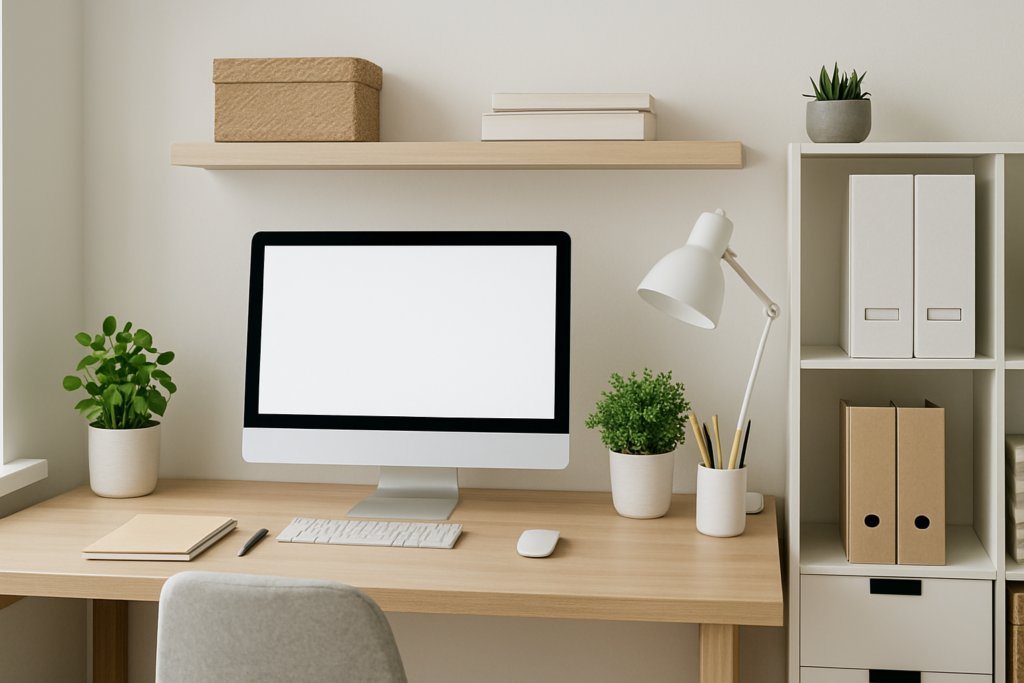
Your desk surface is prime real estate. Keep only the essentials within arm’s reach: computer, notebook, pen holder, and water bottle. Everything else goes in drawers or designated storage areas.
Position your monitor at eye level to prevent neck strain. Place frequently used items like your phone and coffee mug on your non-dominant side to avoid reaching across your workspace. This simple adjustment reduces fatigue throughout the day.
Consider using a desk pad with built-in organizers to define spaces for different activities. The visual boundaries help maintain order and make cleaning up at the end of each day effortless.
Bamboo Desk Organizer with Phone Stand
Perfect for keeping daily essentials within reach while maintaining a clean aesthetic
2. Conquer Cable Management Once and For All
Tangled cables don’t just look messy; they create stress and waste time when you need to unplug or move equipment. Start by identifying which cables you actually use daily versus those needed occasionally.
Install under-desk cable trays to route power strips and excess cord length out of sight. Use velcro cable ties instead of zip ties for easier adjustments when you add new equipment.
Label each cable at both ends with a label maker or masking tape. This simple step saves countless minutes when troubleshooting tech issues or rearranging your setup.
For charging cables, dedicate a small bowl or tray on your desk. This prevents them from sliding behind furniture when not in use and keeps them easily accessible.
3. Create a Filing System That Actually Works
Digital files need just as much organization as physical papers. Create a folder structure on your computer that mirrors your work priorities: Active Projects, Reference Materials, Archive, and Personal.
For physical documents, use a simple three-tier system: Action Required, Reference, and Archive. Place action items in a desktop file sorter where you’ll see them daily. Reference materials go in easily accessible filing drawers. Archive older documents in labeled boxes stored elsewhere.
Scan important documents and store digital copies in cloud storage with clear naming conventions. Use the format: YYYY-MM-DD_DocumentType_Description for easy chronological sorting.
Desktop File Sorter with 8 Compartments
Keeps active documents visible and organized without taking up drawer space
4. Smart Supply Storage Solutions
Office supplies multiply quickly and disappear just as fast. Designate specific homes for different categories: writing instruments, paper products, electronics accessories, and miscellaneous items.
Use clear containers whenever possible. You’ll avoid buying duplicates and can quickly grab what you need. Small mason jars work perfectly for paper clips, rubber bands, and push pins.
Keep a basic supply inventory list on your phone or computer. When you notice you’re down to the last pen refill or nearly out of printer paper, add it to your shopping list immediately.
Store backup supplies in a separate area from daily-use items. A nearby closet or cabinet works well for extra printer cartridges, boxes of pens, and bulk paper supplies.
5. Ergonomic Organization for Long-Term Health
Proper ergonomics aren’t just about comfort; they directly impact your productivity and long-term health. Your monitor should be an arm’s length away, with the top of the screen at or slightly below eye level.
Position your keyboard and mouse so your elbows remain at 90-degree angles. If your desk is too high, use an adjustable keyboard tray to achieve proper positioning.
Keep frequently used reference materials in document holders positioned between your keyboard and monitor. This reduces neck strain from constantly looking down at papers beside your keyboard.
Organize your space to encourage movement. Place your printer across the room, use a separate water station, or keep reference books on shelves that require standing to reach.
6. Maximize Vertical Space in Small Offices
When floor space is limited, think vertically. Wall-mounted shelves can hold books, binders, and decorative storage boxes without crowding your desk area.
Install floating corner shelves in unused corners. These work perfectly for displaying a few books, a small plant, or attractive storage containers.
Use the back of your office door for additional storage. Over-door organizers can hold cleaning supplies, extra office materials, or personal items you want to keep private.
Consider a tall, narrow bookshelf instead of a wide, short one. The vertical orientation draws the eye upward, making the room feel larger while providing ample storage.
5-Tier Ladder Shelf for Small Spaces
Maximizes vertical storage while maintaining an open, airy feel in compact offices
7. Daily Maintenance Routines for Lasting Organization
Spend five minutes at the end of each workday resetting your space. File away papers, return supplies to their designated spots, and clear your desk surface completely.
Weekly, tackle one specific area: clean out your desk drawers, organize your digital desktop, or sort through accumulated papers. Small, regular maintenance prevents overwhelming cleanup sessions.
Monthly, evaluate what’s working and what isn’t. Are supplies ending up in random places because their designated home isn’t convenient? Adjust your system based on actual usage patterns.
Set reminders on your phone or calendar for these maintenance tasks. Consistency in small actions creates lasting organizational habits.
8. Digital Organization for Physical Productivity
Your computer’s organization directly affects your physical workspace efficiency. Keep your desktop clean with only active project folders visible. Everything else should be properly filed in your Documents folder.
Use consistent naming conventions for all files. Include dates, project names, and version numbers where relevant. This prevents printing multiple copies because you can’t find the latest version.
Set up automatic backups to cloud storage for important documents. Knowing your files are safely backed up reduces the urge to keep physical copies of everything.
Organize your email with folders that match your physical filing system. This creates mental consistency between digital and physical organization.
9. Lighting and Visual Organization
Good lighting reduces eye strain and helps you see what you’re looking for quickly. Position your desk to take advantage of natural light without creating screen glare.
Add adjustable LED desk lamps for task lighting. Choose lights with different brightness settings for various activities throughout the day.
Use color coding strategically. Assign specific colors to different projects or types of documents. Colored folders, labels, and desk accessories create visual cues that speed up finding what you need.
Keep visual distractions to a minimum. While personal photos and plants can boost mood, too many decorative items compete for attention and make spaces feel cluttered.
Adjustable LED Desk Lamp with USB Charging
Provides excellent task lighting while adding a convenient charging station for devices
10. Multi-Functional Furniture Solutions
Choose furniture pieces that work double duty. An ottoman with internal storage can hold office supplies while providing extra seating for meetings. A desk with built-in filing drawers eliminates the need for a separate filing cabinet.
Rolling carts make excellent mobile storage units. Load them with supplies for specific projects and roll them close to your work area when needed, then store them out of the way when finished.
Consider a fold-down wall desk for extremely small spaces. These create a full workspace when needed but fold flat against the wall when not in use, freeing up floor space for other activities.
11. Technology Organization Systems
Create dedicated charging stations for all your devices. Use a multi-device charging organizer to keep phones, tablets, and other electronics charged and easily accessible.
Store cables and small tech accessories in a tackle box or toolbox with adjustable compartments. Label each section clearly so family members can find and return items properly.
Keep software and hardware manuals in a three-ring binder with dividers. Include warranty information and purchase receipts for easy reference during tech support calls.
12. Personalization Without Clutter
Your home office should reflect your personality while maintaining functionality. Choose one or two meaningful decorative items rather than filling surfaces with multiple small objects.
Use attractive storage containers that complement your decor style. Beautiful boxes and baskets can hide necessary supplies while adding visual appeal to your space.
Display inspirational quotes or images in frames, but limit them to one or two pieces that truly motivate you. Too many competing messages become visual noise.
Incorporate plants strategically. One or two well-chosen plants improve air quality and add life to your space without creating maintenance burdens or clutter.
Frequently Asked Questions
How often should I reorganize my home office?
Perform daily five-minute resets, weekly deep organization of one area, and monthly system evaluations. Major reorganizations should only be needed twice yearly unless your work requirements change significantly.
What’s the best way to organize important documents I need to access frequently?
Use a desktop file sorter with labeled sections for different types of active documents. Keep only current, action-required papers here. Everything else should go in filing drawers or be scanned and stored digitally.
How can I keep my organized office system working when other family members use the space?
Create simple, visual organization systems that are easy for everyone to follow. Use clear labels, obvious storage locations, and designate specific areas for shared versus personal items. Hold a brief family meeting to explain the system and its importance.
What should I do with old electronics and obsolete office supplies?
Recycle old electronics through manufacturer programs or local e-waste centers. Donate usable office supplies to schools or nonprofit organizations. Dispose of dried-up pens and broken items immediately rather than letting them accumulate in drawers.
This article contains affiliate links. We may earn a small commission at no extra cost to you.