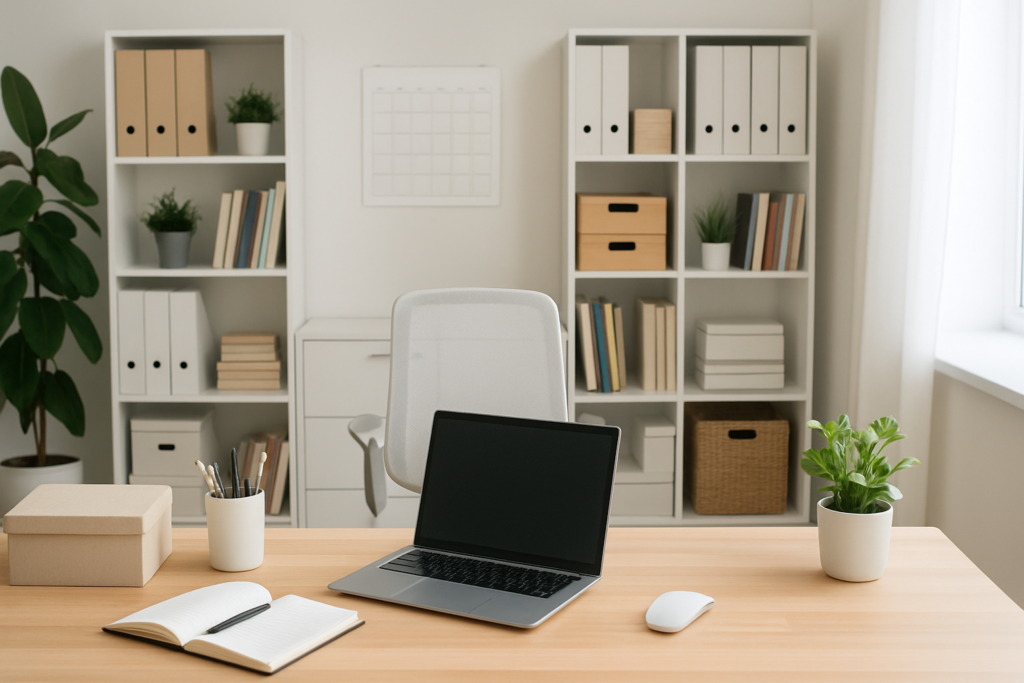
A cluttered office isn’t just an eyesore; it’s a productivity killer. Studies show that workers lose an average of 40 minutes per day searching for misplaced items, and visual clutter can reduce your ability to focus by up to 32%. Your workspace directly impacts your mental clarity, stress levels, and overall work performance.
Creating an organized office doesn’t require a complete overhaul or expensive renovations. Small, strategic changes in how you organize your desk, manage cables, and store documents can transform your work environment. Whether you’re working from a dedicated home office or a corner of your living room, the right organization system will help you stay focused and efficient.
These 15 practical organization ideas will help you create a workspace that works for you, not against you. From simple desk tweaks to digital decluttering strategies, you’ll discover solutions that fit any space and budget.
Desk Organization Essentials
1. Create Designated Zones
Your desk should function like a well-planned kitchen, with specific areas for different activities. Establish three main zones: a primary work area directly in front of your monitor, a reference zone to your dominant hand side for frequently used items, and a supply zone for less-used materials.
Keep your primary work area completely clear except for your current task. This simple rule prevents the gradual accumulation of clutter that derails your focus. Use a desk pad with printed zones if you need visual reminders of where items belong.
2. Implement the One-Touch Rule
Every item on your desk should have a specific home where it returns after use. Paper clips go in one designated spot, pens in another, and so on. This prevents the constant shuffling and reorganizing that wastes time throughout your day.
Invest in a quality desktop organizer with multiple compartments. The bamboo desk organizers offer both functionality and aesthetic appeal for modern workspaces.
Bamboo Desktop Organizer with Multiple Compartments
Perfect for creating designated homes for all your small office supplies
3. Vertical Storage Solutions
Your desk surface is prime real estate, but your vertical space is often underutilized. Wall-mounted shelves, pegboards, and magnetic strips can hold supplies without cluttering your work surface.
Install a magnetic strip under your desk edge or on a nearby wall for scissors, rulers, and other metal tools. This keeps them visible and accessible while freeing up drawer space for other items.
Cable Management Strategies
4. Route Cables Under Your Desk
Tangled cables aren’t just unsightly; they’re a safety hazard and make cleaning difficult. A simple under-desk cable tray can transform your workspace from chaotic to professional in minutes.
Mount the tray under your desk and route all power cords, USB cables, and ethernet wires through it. This creates a clean pathway for cables while keeping them easily accessible for changes or troubleshooting.
Under Desk Cable Management Tray
Transforms messy cable situations into organized, professional-looking setups
5. Label Everything
When multiple cables emerge from your cable management system, identification becomes crucial. Use a label maker to mark each cable near both ends. This saves significant time when you need to unplug or replace specific devices.
Color-coding provides an additional layer of organization. Use red labels for power cables, blue for data cables, and green for audio/video connections.
6. Power Strip Placement
Mount your power strip under your desk rather than leaving it on the floor. This prevents accidental kicks that disconnect equipment and makes it easier to access outlets when needed.
Choose a power strip with USB ports to reduce the number of wall adapters cluttering your setup. Many modern strips include smart features like individual outlet switches and surge protection.
Storage Solutions That Work
7. File Organization System
Even in our digital age, paper documents require a systematic approach. Create three categories: action required, reference materials, and archive. Use different colored folders or filing systems for each category.
Keep action items in a desktop file sorter for immediate visibility. Reference materials belong in a nearby filing cabinet, while archive items can go in less accessible storage areas.
8. Floating Shelves for Supplies
Install floating shelves above your desk for items you use regularly but don’t need on your desktop. Books, binders, and decorative storage boxes work well on floating shelves without overwhelming your workspace.
Position shelves at eye level or slightly above to maintain easy access while keeping your immediate work area unobstructed.
9. Hidden Storage Integration
Look for furniture pieces that provide hidden storage opportunities. Desks with built-in drawers, ottomans with storage compartments, and bookcases with concealed sections help maintain a clean appearance while providing ample organization options.
A storage ottoman can serve double duty as extra seating for clients and hidden storage for seasonal supplies or rarely used equipment.
Digital Organization Tips
10. Desktop Decluttering
Your computer desktop affects your mental state just like your physical desk. Create a folder system that mirrors your physical filing approach: current projects, reference materials, and archived items.
Use descriptive folder names with dates when relevant. Instead of “Meeting Notes,” use “2024_Q1_Team_Meetings” for better searchability and organization.
11. Cloud Storage Structure
Establish a consistent folder hierarchy across all your cloud storage platforms. Whether you use Google Drive, Dropbox, or OneDrive, maintain the same organizational structure to reduce confusion and improve efficiency.
Create templates for common document types and store them in easily accessible locations. This reduces the time spent formatting new documents and ensures consistency across your work.
12. Email Management
Implement a simple email organization system using folders or labels. Create categories for action required, waiting for response, and reference materials. Process your inbox daily using the two-minute rule: if it takes less than two minutes to handle, do it immediately.
Unsubscribe from unnecessary mailing lists and use filters to automatically sort routine emails into appropriate folders. This keeps your inbox focused on items requiring your attention.
Ergonomic Considerations
13. Monitor Height and Distance
Position your monitor so the top of the screen sits at or slightly below eye level. This reduces neck strain and improves posture during long work sessions. The screen should be approximately arm’s length away from your seated position.
Use a monitor arm for easy adjustment and to free up valuable desk space. Adjustable arms allow you to modify height and angle throughout the day as your posture changes.
Adjustable Monitor Arm with Full Articulation
Provides perfect positioning while freeing up significant desk space for other items
14. Keyboard and Mouse Positioning
Your keyboard should sit at a height that allows your elbows to bend at approximately 90 degrees while typing. Use a keyboard tray if your desk is too high, or raise your chair and add a footrest if needed.
Keep your mouse at the same level as your keyboard to prevent reaching up or down during use. Consider a mouse pad with wrist support for added comfort during extended computer work.
15. Lighting Optimization
Proper lighting reduces eye strain and improves focus throughout the day. Position your desk perpendicular to windows when possible to minimize glare on your screen while maintaining natural light.
Add a LED desk lamp with adjustable brightness for task lighting during evening hours or cloudy days. Look for lamps with color temperature adjustment to match natural lighting patterns.
LED Desk Lamp with USB Charging Port
Combines excellent task lighting with convenient device charging capability
Maintaining Your Organized Office
Organization isn’t a one-time project; it’s an ongoing process that requires consistent maintenance. Schedule 10 minutes at the end of each workday to reset your space. File loose papers, return supplies to their designated homes, and clear your desktop of completed tasks.
Conduct a weekly review of your organization systems. Are items accumulating in certain areas? Do you find yourself repeatedly searching for specific supplies? These patterns indicate areas where your system needs adjustment.
Remember that the best organization system is one you’ll actually use consistently. Start with one or two changes that address your biggest pain points, then gradually implement additional improvements as new habits solidify.
Frequently Asked Questions
How often should I reorganize my office space?
Perform daily maintenance by spending 5-10 minutes returning items to their designated places. Conduct a more thorough reorganization monthly, evaluating what’s working and what needs adjustment. Major overhauls should happen quarterly or when your work requirements change significantly.
What’s the most important area to organize first?
Start with your desk surface and immediate work area. This provides the biggest impact on daily productivity and creates momentum for organizing other areas. A clear, organized desk immediately reduces visual distractions and makes other tasks feel more manageable.
How can I keep cables organized in a rental where I can’t mount things to walls?
Use adhesive cable clips that remove cleanly, under-desk cable trays that clamp to your desk edge, or freestanding cable management towers. Velcro cable ties and cord covers that stick to baseboards offer temporary solutions that won’t damage surfaces.
Should I organize everything at once or tackle one area at a time?
Focus on one area at a time to avoid overwhelm and ensure lasting results. Complete each zone fully before moving to the next. This approach allows you to establish routines around each organized area while maintaining productivity during the process.
This article contains affiliate links. We may earn a small commission at no extra cost to you.